GX53 Inverted Microscope
The GX53 inverted microscope features exceptional image clarity and excellent resolution at high magnifications. With accessories including a coded revolving nosepiece and software, the microscope's modular design makes it easy to customize for your requirements.
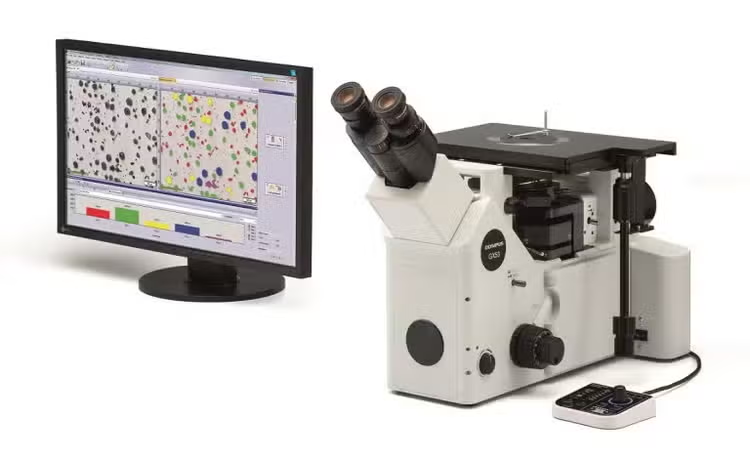
Inverted Metallurgical Microscope GX53
Quickly Analyze Thick, Large Sample Materials
Designed for use in the steel, automotive, electronics, and other manufacturing industries, the GX53 microscope delivers crisp images that can be difficult to capture using conventional microscopy observation methods. When combined with PRECiV image analysis software, the microscope streamlines the inspection process from observation to image analysis and reporting.
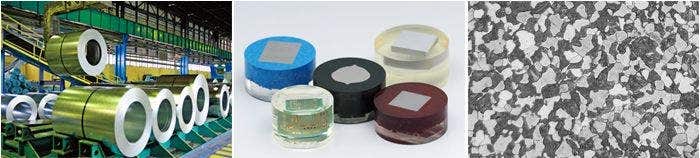
Fast Inspections, Advanced Functionality
Quickly observe, measure, and analyze metallurgical structures.
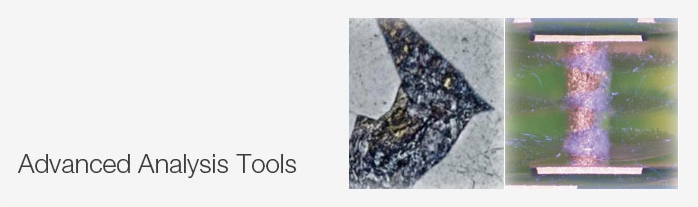
Advanced Analysis Tools
1. Combined observation methods produce exceptional images
2. Easily create panoramic images
3. Create all-in-focus images
4. Capture both bright and dark areas
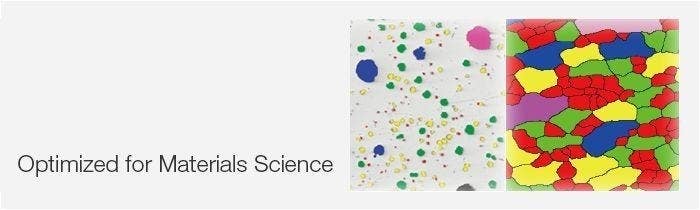
Optimized for Material Science
1. Software designed for materials science
2. Metallurgical analysis that complies with industrial standards
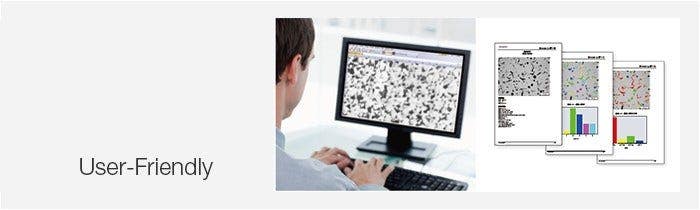
User Friendly
Even novice operators can comfortably make observations, analyze results, and create reports.
1. Easily restore microscope settings
2. User guidance helps simplify advanced analysis
3. Efficient report generation
Advanced Imaging Technology
Our proven optics and imaging technology deliver clear images and reliable results.
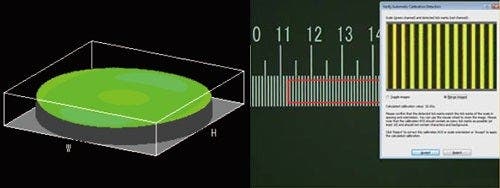
1. Reliable optical performance: wavefront aberration control
2. Clear images: image shading correction
3. Consistent color temperature: high-intensity white LED illumination
4. Precise measurements: auto calibration
Modular
Choose the components you need for your application.
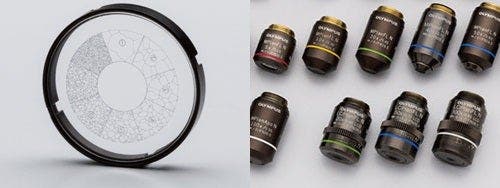
1. Build your system your way: fully customizable system with a variety of optional components
Observation
Advanced Analysis Tools
The GX53 microscope’s various observation capabilities provide clear, sharp images, so you can reliably detect defects in your samples. PRECiV image analysis software's new illumination techniques and image acquisition options give you more choices for evaluating your samples and documenting your findings.
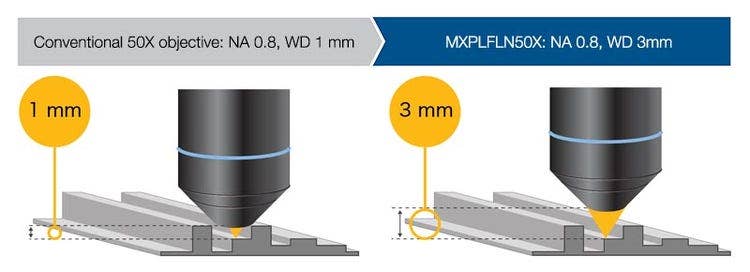
Combined high numerical aperture and long working distance
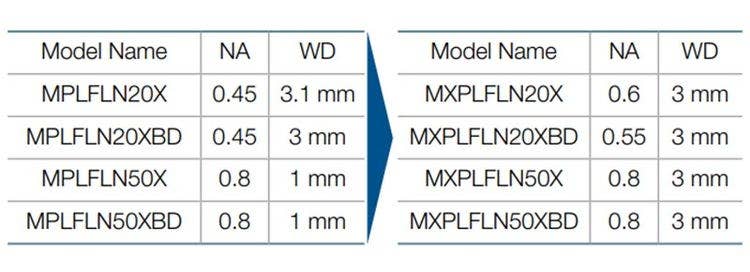
Objective lenses are crucial to a microscope’s performance. The new MXPLFLN objectives add depth to the MPLFLN series for epi-illumination imaging by maximizing numerical aperture and working distance at the same time. Higher resolutions at 20X and 50X magnifications typically mean shorter working distances, which forces the sample or objective to be retracted during objective exchange. In many cases, the MXPLFLN series’ 3 mm working distance eliminates this problem, enabling faster inspections with less chance of the objective hitting the sample.
The Invisible Becomes Visible: MIX Technology
MIX technology combines darkfield with another observation method, such as brightfield or polarization, to enable you to view samples that are difficult to see with conventional microscopes. The circular LED illuminator has a directional darkfield function where one or more quadrants are illuminated at a given time, reducing a sample’s halation to better visualize surface texture.
Cross-section of a printed circuit board
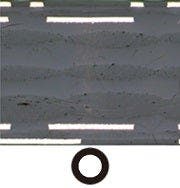
Brightfield
The substrate layers and through hole are invisible.

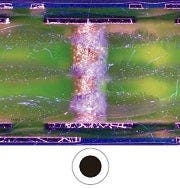
Darkfield
The traces are invisible.

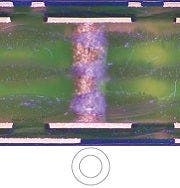
MIX: Brightfield + Darkfield
All of the components are clearly represented.
Stainless steel
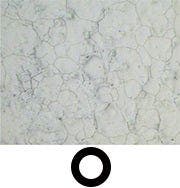
Brightfield
The texture is unobservable.
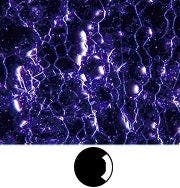
Darkfield quadrant
The color information is eliminated.
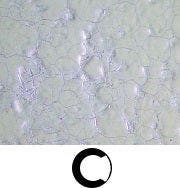
MIX: Brightfield + Darkfield quadrant
Both the material color and texture are visible.
Easily Create Panoramic Images: Instant MIA
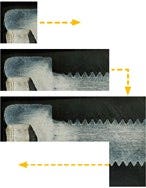
With multiple image alignment (MIA), you can stitch images together simply by moving the XY knobs on the manual stage—a motorized stage is optional. PRECiV software uses pattern recognition to generate a panoramic image, making it ideal for inspecting carburizing and metal flow conditions.
Metal flow of a bolt
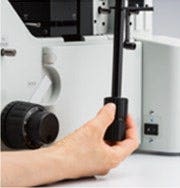
Adjust the stage position using the XY knob.

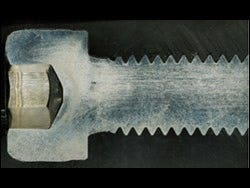
The full condition of metal flow can be seen.
Create All-in-Focus Images: EFI
PRECiV software’s extended focus imaging (EFI) function captures images of samples whose height extends beyond the depth of focus. EFI stacks these images together to create a single all-in-focus image of the sample. Even when analyzing a cross-section sample with an uneven surface, EFI creates fully-focused images.
EFI works with either a manual or motorized Z-axis and creates a height map to visualize structures.
Resin parts
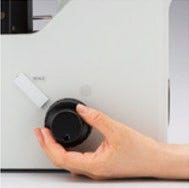
Adjust the objective’s height with the focusing handle.
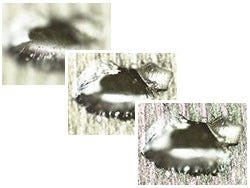
EFI automatically captures and stacks multiple images to create a single, in-focus image of the sample.
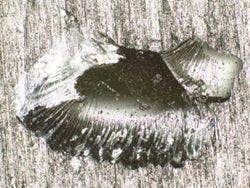
Fully focused image is created.
Capture Both Bright and Dark Areas Using HDR
Using advanced image processing, high dynamic range (HDR) adjusts for differences in brightness within an image to reduce glare. It also helps boost the contrast in low-contrast images. HDR can be used to observe minute structures in electric devices and identify metallic grain boundaries.
Gold plate
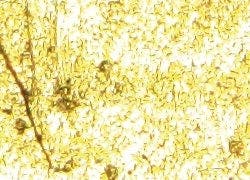
Some areas have glare.

Both dark and bright areas are clearly exposed using HDR.
Chromium diffusion coating
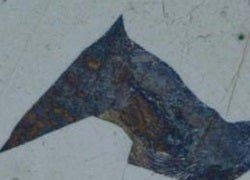
Low contrast and unclear.
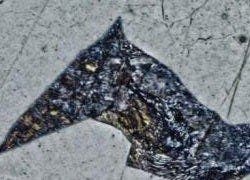
Enhanced contrast with HDR.
Applications
There are just a few examples of what can be achieved using different observation methods.
Polished sample of AlSi (Brightfield / Darkfield)
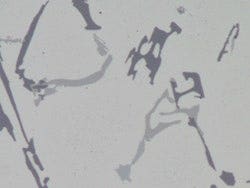
Brightfield
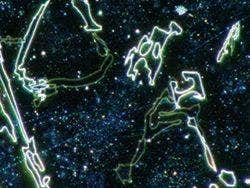
Darkfield
Brightfield: a common observation method to observe reflected light from a sample by illuminating it straight on. Darkfield: observe scattered or diffracted light from a sample, so imperfections, such as minute scratches or flaws, clearly stand out.
Spheroidal graphite cast iron (Brightfield / DIC)
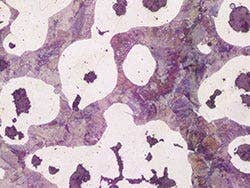
Brightfield
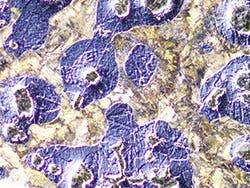
DIC observation
Differential interference contrast (DIC): an observation technique where the height of a sample is visible as a relief, similar to a 3D image with improved contrast; it is ideal for inspections of samples that have very minute height differences, including metallurgical structures and minerals.
Aluminum alloy (Brightfield / Polarized light)
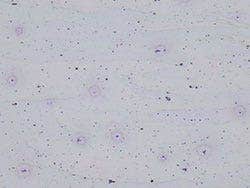
Brightfield

Polarized light observation
Polarized light: a technique that highlights a material’s texture and crystal condition to view metallurgical structures, such as the growth pattern of graphite on nodular cast iron and minerals.
Electric device (Brightfield / MIX observation)
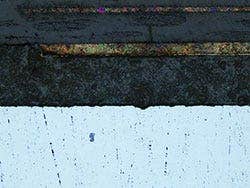
Brightfield
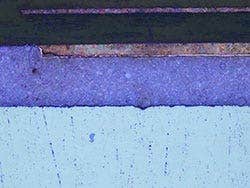
MIX: Brightfield + Darkfield
MIX observation: combines brightfield and darkfield to show a sample’s color and structure.
The above MIX observation image clearly reproduces the device’s color and texture as well as the condition of the adhesive layer.
Analysis
PRECiV Software – Optimized for Materials Science
Together, the GX53 microscope and PRECiV software support metallurgical analysis methods that comply with different industrial standards. With step-by-step operator guidance, users can analyze their samples quickly and easily.
> Click here for details about PRECiV
Particle Analysis – Count and Measure Solution
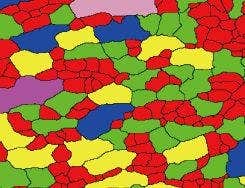
The Count and Measure solution uses advanced threshold methods to reliably separate objects, such as particles and scratches, from the background. More than 50 different object measurement and classification parameters are available including shape, size, position, and pixel properties.

Conventional software
Unclear grain boundaries

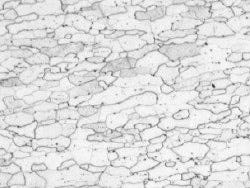
Etched steel microstructure
(original image)
PRECiV
Grain boundaries are clearly detected
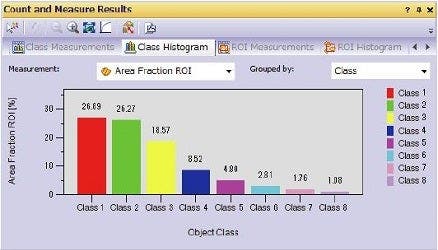
Grain classification results
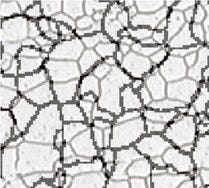
Grain Sizing in a Microstructure
Measure the grain size and analyze the microstructure of aluminum, steel crystal structures, such as ferrite and austenite, and other metals.
Supported standards: ISO, GOST, ASTM, DIN, JIS, GB/T
Microstructure of ferritic grains
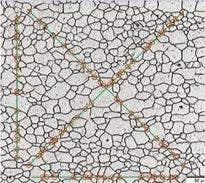
Grain sizing intercept solution
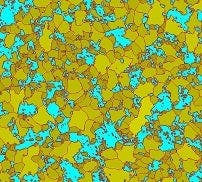
Grain sizing planimetric solution with secondary phase
Evaluating Graphite Nodularity
Evaluate the graphite nodularity and content in cast iron samples (nodular and vermicular). Classify the form, distribution, and size of graphite nodes.
Supported standards: ISO, NF, ASTM, KS, JIS, GB/T
Ductile cast iron showing nodular graphite
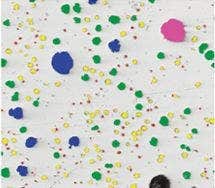
Cast iron solution
Rating Nonmetallic Inclusion Content in High-Purity Steel
Classify nonmetallic inclusions using an image of the worst field or worst inclusion found manually in the sample.
Supported standards: ISO, EN, ASTM, DIN, JIS, GB/T, UNI
Steel with nonmetallic inclusions
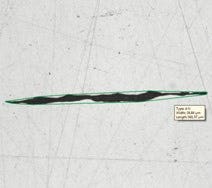
Inclusion worst field solution
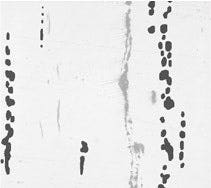
Compare Images of Your Sample and Reference Images
Easily compare live or still images with auto-scaled reference images. This solution includes reference images in accordance with various standards (additional reference images can be purchased separately). Multiple modes are supported, including live overlay display and side-by-side comparison.
Supported standards: ISO, EN, ASTM, DIN, SEP
Steel with nonmetallic inclusions
Microstructure with ferritic grains
Material Solution Specifications
Sharing
Simple and Efficient Inspections
Use the GX53 microscope and PRECiV software to acquire images of diverse samples, conduct a variety of analyses, and generate professional reports.
> Click here for details about PRECiV
Easily Restore Microscope Settings: Coded Hardware
Coded functions integrate the microscope’s hardware settings with PRECiV image analysis software. The observation method, illumination intensity, and magnification can be recorded and stored with the associated images. The settings are easily reproduced so that different operators can conduct the same quality inspections with limited training.
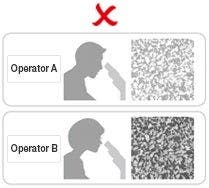
Different operators use different settings.

Retrieve the device settings with PRECiV software.
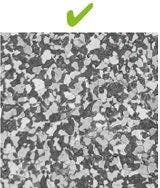
All operators can use the same settings.
User Guidance Helps Simplify Advanced Analysis
The software guides users step-by-step through an inspection process that complies with the chosen industrial standard. Operators can conduct advanced analysis simply by following the on-screen guidance.
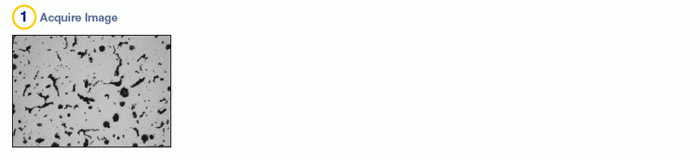
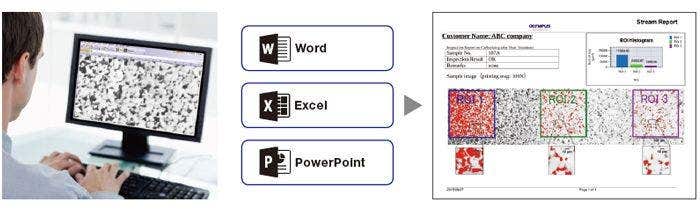
Efficient Report Generation
Creating a report can often take longer than capturing the image and taking the measurements. PRECiV software provides intuitive report creation to repeatedly produce sophisticated reports based on predefined templates.
Specifications
Manual field stop/aperture stop switch with centering
Light source: White LED (with Light Intensity Manager) /12 V, 100 W halogen lamp/100 W mercury lamp/light guide source
Observation mode: brightfield, darkfield, differential interface contrast (DIC)*1, simple polarizing*1, MIX observation (4 directional darkfield)*2
*1 Slider for exclusive use of this observation is required. *2 MIX observation configuration is required.
Built-in LED power supply for reflected light illumination
Continuously-variable light intensity dial
Input rating 5 V DC, 2.5 A (AC adapter 100–240 V, AC 0.4 A, 50 Hz/60 Hz)
External interface (requires the optional BX3M-CBFM control box)
Coded nosepiece connector × 1
MIX Slider (U-MIXR-2) connector × 1
Handset (BX3M-HS) connector × 1
Handset (U-HSEXP) connector × 1
RS-232C connector × 1, USB 2.0 connector × 1
Manual, coarse and fine coaxial handle; focus stroke 9 mm (2 mm above and 7 mm below the stage surface)
Fine handle stroke per rotation: 100 μm (min. scale: 1 μm)
Coarse handle stroke per rotation: 7 mm
With torque adjustment ring for coarse focusing
With upper limit stopper for coarse focusing
Brighfield/darkfield Hole: 5 to 6 pcs, Type: Manual/Coded, Centering: Enabled/Disabled
Flexible right handle stage, left short handle stage (each X/Y stroke: 50 × 50 mm, max. load 1 kg)
Gliding stage (max. load 1 kg)
A set of teardrop and long hole types
・Ambient temperature: 5 to 40 °C (45 to 100 °F)
・Maximum relative humidity: 80% for temperatures up to 31 °C (88 °F) (without condensation)
In case of over 31 °C (88 °F), the relative humidity is decreased linearly through 70% at 34 °C (93 °F), 60% at 37 °C
(99 °F), and to 50% at 40 °C (104 °F).
・Pollution degree: 2 (in accordance with IEC60664-1)
・Installation/Overvoltage category: II (in accordance with IEC60664-1)
・Supply voltage fluctuation: ±10 %
Resources
Application Notes
Videos
Improving Materials Analysis Inspections with MX Plan Semi-Apochromat Objectives