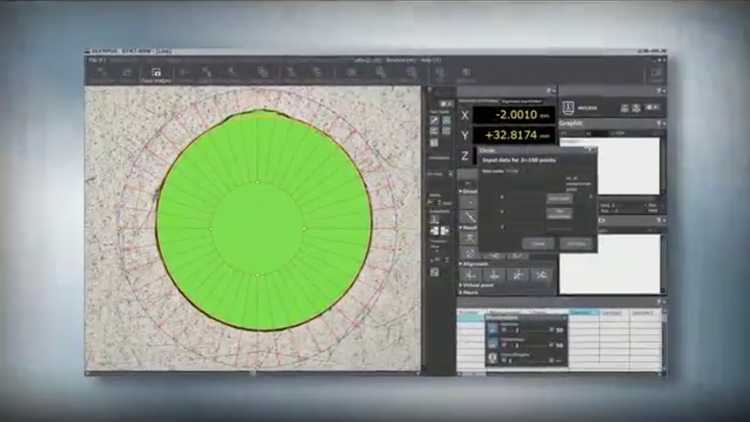
STM7-BSW Measuring Microscopes
The STM7-BSW is a measurement support software for measuring microscopes. Not only is a live image acquired by a digital camera and displayed on a monitor, observation, measurement, and report creation are possible on the same screen. These features make your work more efficient.
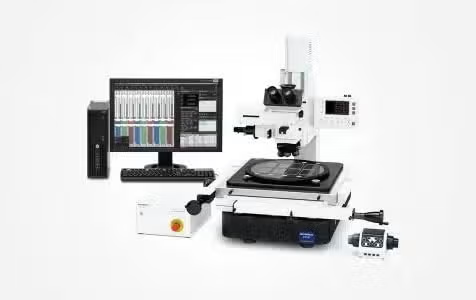
STM7-BSW Industrial Microscopes
STM7-BSW measurement support software for measuring microscopes helps make your inspections more efficient. You can capture and display images, make observations and measurements, and create reports all from the same screen.
Quickly and Accurately Measure Objects with Complex Shapes
It is essential to see your measuring microscope’s output display clearly and easily. This software was created to do just that, helping deliver complex measurements with greater accuracy. The software also enables you to take advantage of digital microscope cameras.
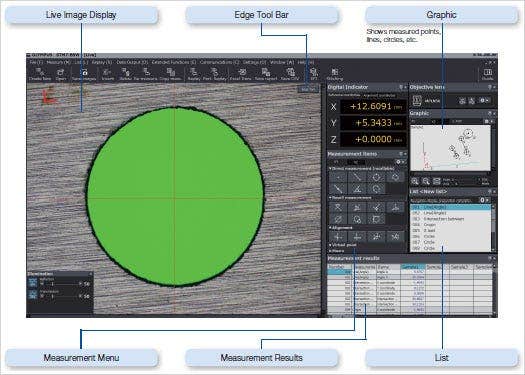
STM7-BSW Sample Interface
Capture Clear, Sharp Images with Our Digital Microscope Cameras
High performance with fast live display
DP28
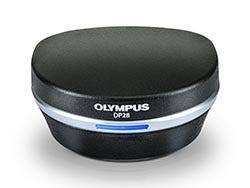
Image resolution
4104 × 2174
Frame rate
15 fps (max.)
PC interface
USB 3.1 Gen1
DP23
Image resolution
3088 × 2076
Frame rate
25 fps (max.)
PC interface
USB 3.1 Gen1
Excellent value with a high price/performance ratio
STM7-CU
2048 × 1536
Frame rate
11.2 fps (max.)
PC interface
USB 2.0
Place the Sample and Start to Measure—No Parallel Alignment Required
Direct Measurement
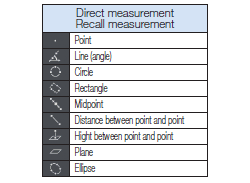
Measurements are made by receiving coordinates input via the STM7 microscope.
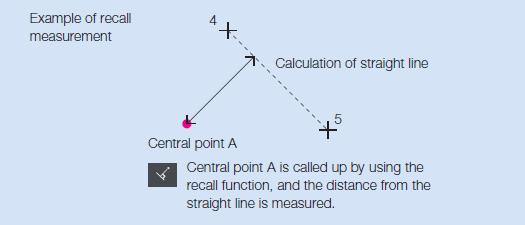
Recall Measurement
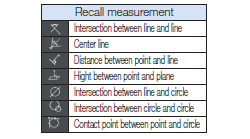
Once measured and calculated, coordinates can be reused for subsequent measurements. This eliminates the need to do the same work twice, enabling a more efficient workflow.
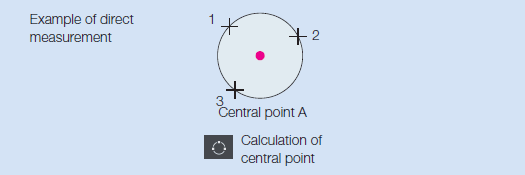
Virtual Point Measurement
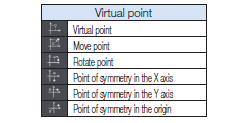
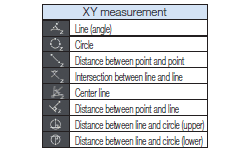
Intersections, central points, lengths,and a range of other measurements can be made by drawing straight lines and circles, which can then be set to remain as reference points on acquired sample images.
Alignment Measurement
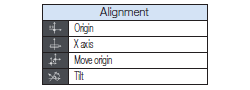
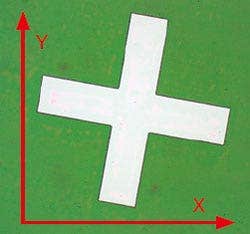
Both the origin and the X-axis are set with respect to the sample, allowing the sample to be measured even when it’s not aligned with the stage.
Original axis
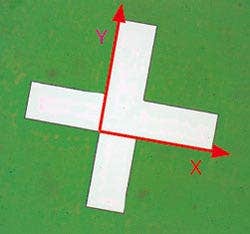
New axis
XZ Plane Measurement
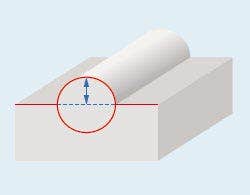
R measurement of a hemispherical sample
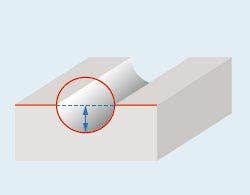
Height measurement of a groove from its base and the reference line
Record Regularly Used Measurement Procedures
Macro Registration
Frequently used alignment and other measurement procedures can be combined and assigned to a single macro button—eliminating the need to start from scratch each time the microscope is set up.
Replay Measurement
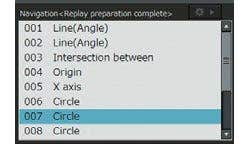
Measurements can be easily repeated based on a recorded workflow by simply inputting the movement of the stage and the coordinates in response to a software prompt. This function can be used to repeatedly carry out the same measurement on the same sample or different versions of the same sample.
Furthermore, if a set value and tolerance are set in the recorded workflow, the software can automatically identify when a measurement has failed.
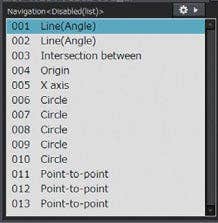
Measurement Point Navigation for Replay Measurement
This function displays the direction and distance to the next measurement point, helping minimize operator confusion. The function also eliminates the need to check the next measurement point on the diagram each time, speeding up the workflow through a series of repeated measurements.
Convenient Functions Eliminate Measurement Subjectivity
Automatic Edge Detection
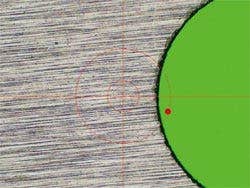
This function detects the edges of the sample and automatically acquires and measures their coordinates. As a result, you no longer need to designate coordinates, minimizing subjectivity. Automatic Edge Detection also features a timer that enables coordinates to be acquired in a specified time and supports the use of a foot switch that enables the operator to focus on measurement operations without taking his or her hands off the stage handles.
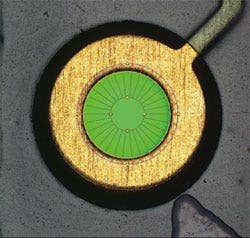
Automatic edge detection inside the circle
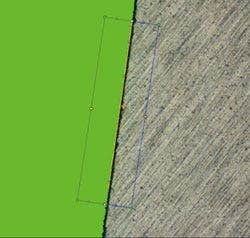
Multipoint automatic edge detection
Abnormal Point Elimination
Metal burrs and other abnormal points can be excluded automatically during edge detection. This enables a consistent calculation of measured values, irrespective of the state of the sample. Points excluded as abnormal can also be displayed on the screen in different colors.
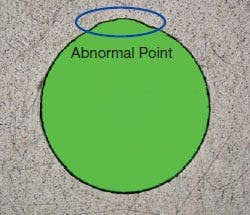
Sample with abnormal point
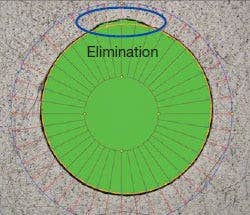
Abnormal point elimination
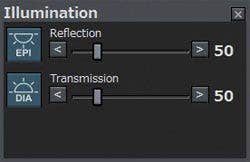
Illumination Control
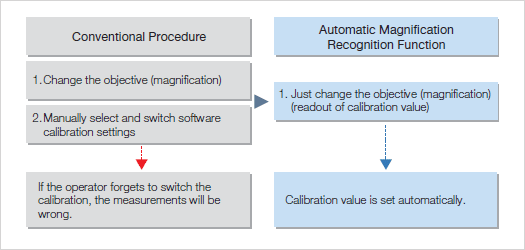
Automatic Magnification Recognition (optional, with coded revolving nosepiece configuration only)
Using the coded revolving nosepiece, previously set calibration values are automatically recalled when changing the objective. This enables you to be confident that the proper scale is on display.
Customizable Report Generation
One-Click Report Generation
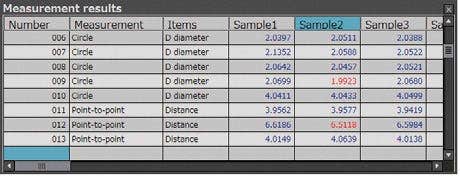
Measurement results can be output in Excel format with a single click, eliminating mistakes made during transcription. Images can also be pasted in along with the measurement results, enabling more efficient report generation.
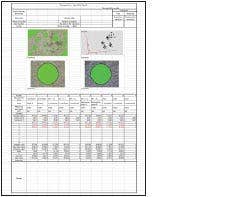
Report sample
Advanced Acquisition Functions
Multiple Image Alignment (MIA) (optional)
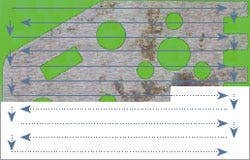
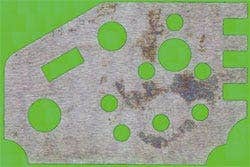
Tile multiple images to capture a single high-magnification, wide-area image. Because the images are tiled on the basis of coordinate data, the system is capable of producing highly reliable images.
Extend Focus Image (EFI) (optional)
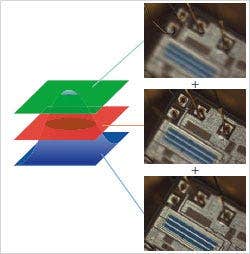
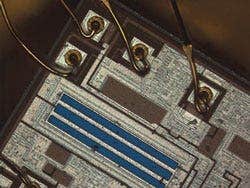
The EFI function is effective for obtaining images that are well-focused throughout on samples with an uneven, complex surface shape. Generate a single image with focal points aligned in all positions.
Simply process multiple images with different focal point positions while moving the Z-axis, or use the motorized model for automated image composition.
Specifications
STM7-BSW System Requirements
SSD hard disk is recommended for high speed image acquisition
* Microsoft Office 32 bit or 64 bit 2013/2016/2019/2021/365 (SAC) are also supported.