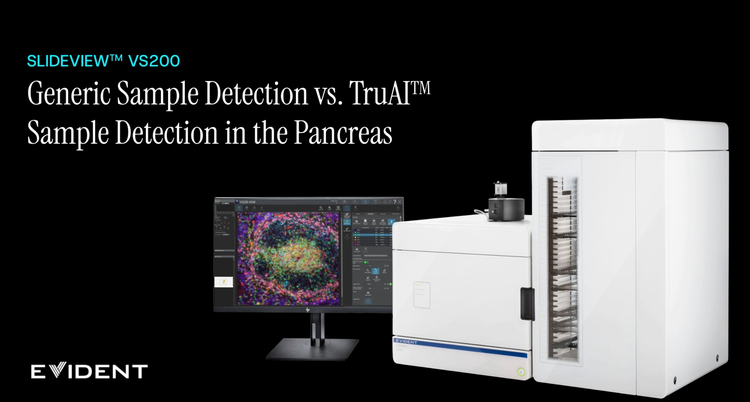
SLIDEVIEW VS200 Universal Slide Scanner
Multimodal imaging for advanced research and specialized digital pathology.
The SLIDEVIEW™ VS200 system is designed to capture a wide variety of samples and stains with multiple magnifications, flexible slide sizes, and up to 10 imaging modes from brightfield to fluorescence. High-resolution imaging of whole slides empowers your lab to unlock more insights from your samples.
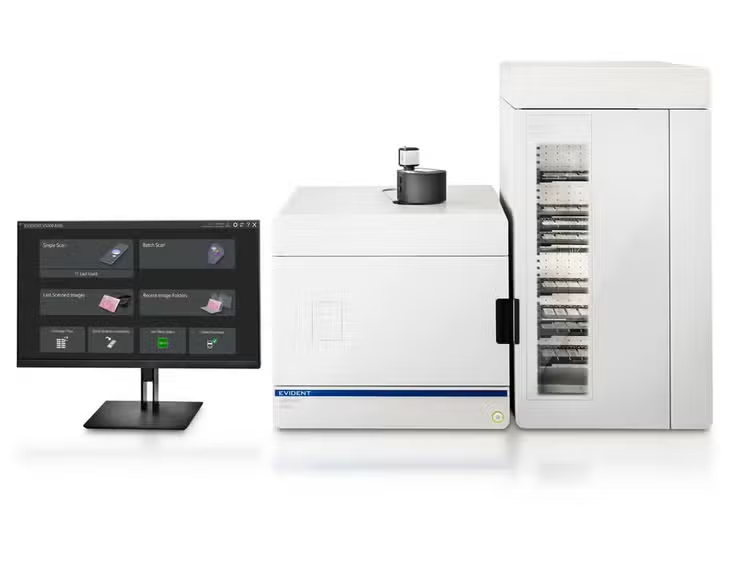
SLIDEVIEW VS200 Universal Slide Scanner
Choose Your Application
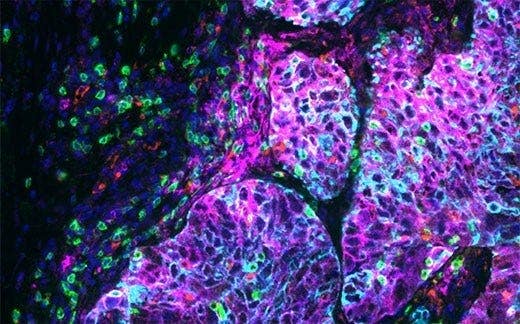
SLIDEVIEW VS200 for Life Science Research
The SLIDEVIEW VS200 system offers high-resolution slide scanning for advanced research applications, such as neuroscience, cancer and stem cell research, and spatial biology. With the flexibility of up to 10 imaging modes, multiplexing capabilities, and multiple magnifications up to 100X, the system delivers outstanding image quality for quantitative analysis.
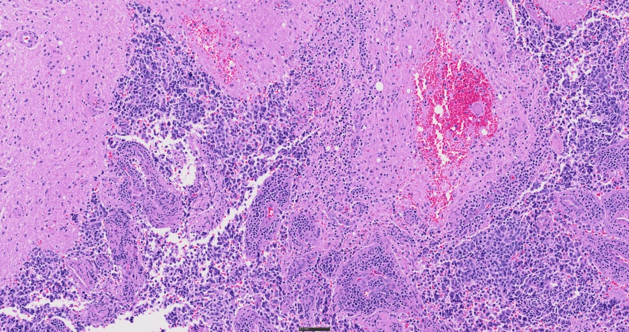
SLIDEVIEW VS200 for Digital Pathology
As a flexible yet intuitive scanner, the SLIDEVIEW VS200 system enables your team to digitize a wide range of sample types with minimal training. The VS200 system helps you achieve a fully digital workflow for pathology with versatile slide scanning, outstanding image quality, and flexible integration options. Get the evidence you trust for standard and specialty samples to make breakthrough decisions with confidence.
Key Benefits
More Insights from Every Slide
One scanner. Every slide. No limits. Capture the biological insights you need with a single slide scanner designed for flexible, multimodal imaging.
Melissa González
Manager, Digital Pathology Imaging and Image Analysis Core
Genentech
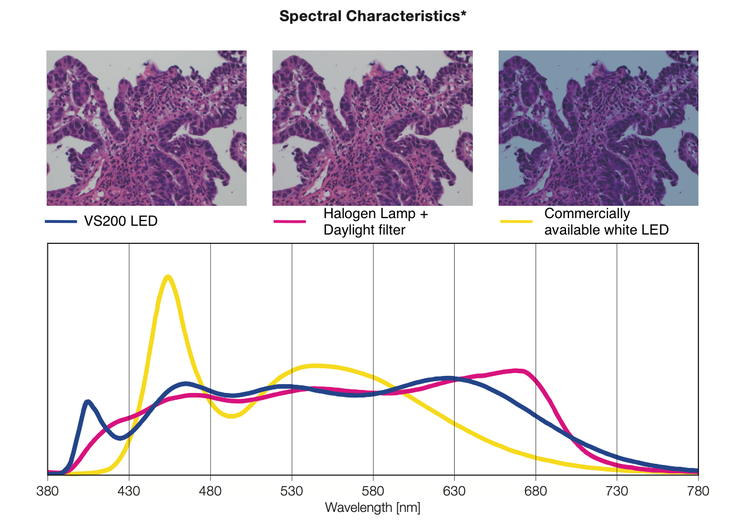
*This graph shows the spectral characteristics of each light source normalized with the luminosity curve. It does not compare the strength of light for each light source.
Confidence in Your Data Quality
Advanced optical innovation and automation make high-quality imaging routine and reproducible, reducing setup, variability, and user dependence across experiments and users.
Smarter Imaging and Workflow
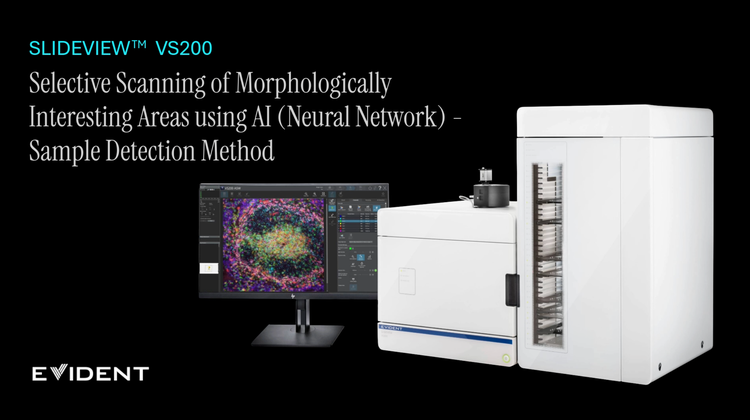
Accelerate your path from slide to results with an intuitive interface, enhanced batch‑scanning capabilities, faster workflows, and AI-based segmentation tools. Reduce human error, manual effort, and have more confidence in your results.
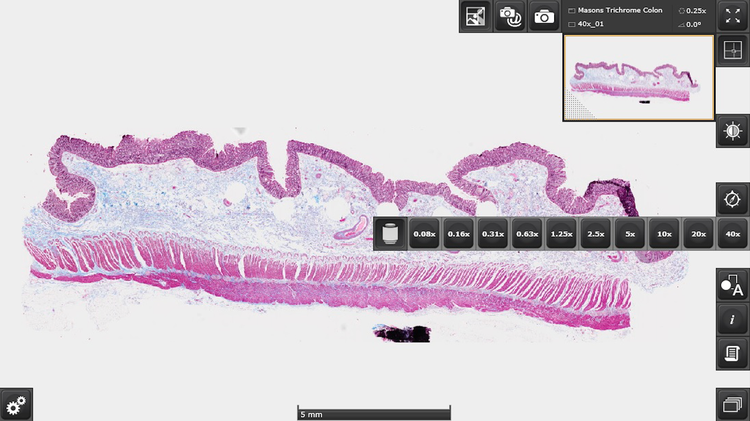
Colon stained with Masson’s trichrome.
Image data courtesy of Wenjin Chen, Rutgers Cancer Institute of New Jersey.
Centralized Image Access
Managing the large amount of data generated by a slide scanner is easier than ever thanks to our Net Image Server (NIS) SQL database and OlyVIA™ web programs. Scan and automatically upload your images to one or more databases, differentiate between users, and take advantage of offline visualization and annotation tools.
Specifications
| SPECIFICATIONS | VS200 Single Tray | VS200 Multiple Tray Loader | |
| Intended Specimen | Observable Specimen | Glass slide with cover glass and without cover glass*1 | |
| Size of Glass Slide (W × L × H) |
Standard slide tray: 25 mm–26.5 mm × 75 mm–76.5 mm × 0.9 mm–1.2 mm (1 in. × 3 in. × 0.05 in.) (6 slides) Optional trays: 1) 47 mm–50 mm × 27 mm–30 mm × 1.2 mm–1.6 mm (1 in. × 2 in. × 0.05 in.) (3 slides) 2) 51 mm–53 mm × 75 mm–76.5 mm × 0.9 mm–1.2 mm (2 in. × 3 in. × 0.05 in.) (3 slides) 3) 75 mm–76.5 mm × 100 mm–102 mm × 0.9 mm–1.2 mm (3 in. × 4 in. × 0.05 in.) (1 slide) 4) 100 mm–102 mm × 126 mm–128 mm × 1.1 mm–1.4 mm (4 in. × 5 in. × 0.06 in.) (1 slide) |
||
| Cover Glass Thickness | 0.12 mm –0.17 mm | ||
| Observation Methods | Brightfield, brightfield mono, reflected brightfield (optional*2), darkfield, phase contrast (optional*3), linear polarization (optional*4), circular polarization (optional), DIC (optional), fluorescence (optional), fluorescence optical sectioning with speckle illumination (optional VS-SILA module) | ||
| Optical Frame | Illuminator | Built-in Köhler illumination for transmitted light; high intensity and high color rendering LED (up to 50,000 hours) | |
| Objectives | 2X, 4X*5, 10X*5, 20X, 40X*5 60X*5, and 100X*5 compatible objectives for a 6-position motorized nosepiece (including selected oil immersion, silicon oil immersion, and phase contrast objectives) Optional automatic liquid dispenser | ||
| Motorized Stage | XY stage with automatic control | ||
| Focusing | Motorized focusing with automatic control | ||
| Color Camera | Integrated 2/3 inch CMOS, 3.45 μm × 3.45 μm pixel size, high sensitivity, high resolution | ||
| Scan Unit | Capacity | 1 slide tray, 6 slides maximum; upgradable to a multiple tray loader mode | Up to 35 slide trays, 210 slides maximum |
| Pixel Resolution (Color Camera) |
Color camera UPLXAPO20X (NA 0.8): 0.274 μm/pixel Options: UPLXAPO4X (NA 0.16): 1.37 μm/pixel UPLXAPO10X (NA 0.4): 0.548 μm/pixel UPLXAPO40X (NA 0.95): 0.137 μm/pixel UPLXAPO40XO (NA 1.4): 0.137 μm/pixel UPLXAPO60XO (NA 1.42): 0.091 μm/pixel UPLXAPO100XO (NA 1.45): 0.055 μm/pixel Up to 35 slide trays, 210 slides maximum Monochrome camera Hamamatsu Orca camera UPLXAPO4x (NA 0.16) 1.625 μm/pixel UPLXAPO10X (NA 0.40) 0.650 μm/pixel UPLXAPO 40X (NA 0.95) 0.163 μm/pixel UPLXAPO40XO (NA 1.4) 0.163 μm/pixel UPLXAPO60XO (NA 1.42) 0.108 μm/pixel UPLXAPO100XO (NA 1.45) 0.065 μm/pixel |
||
| Scan Time |
Brightfield: approx. 1.5 minutes (20x objective, scan area 15 mm × 15 mm) Fluorescence widefield NOVEM: approx. 14 minutes (20X objective, scan area 15 mm × 15 mm, 4 channels, 50 ms exposure each) |
||
| Software | Automatic sample detection (generic and TruAI deep learning), automatic barcode reading, automatic focus mapping, automatic scanning, automatic stitching, pause and resume scanning, Z-stack imaging, extended focus imaging (EFI), image format: VSI, JPEG, TIFF, DICOM, synchronized multi-image display, stepless zooming, zooming while scanning, annotations, screen capture, slide loader control (multiple tray loader only) | ||
| Fluorescence (optional) | Fluorescence Components |
UPLFLN4X objective (recommended for overviews), illuminator with fly-eye lens, motorized mirror turret, motorized filter wheel Widefield light source options: U-LGPS, Excelitas X-Cite XYLIS-2, X-Cite NOVEM, KL2500LED, CoolLED pE-10 VS-SILA: up to 6-line laser combiner and scrambler unit |
|
| Monochrome Cameras |
Options: VS-304M (12-bit), 1-inch CMOS, 3.45 μm × 3.45 μm pixel size (12MP) HAMAMATSU ORCA Flash (16- bit)4.0 V3 HAMAMATSU ORCA Fusion (16- bit) HAMAMATSU ORCA Fusion BT (16- bit) |
||
| Solutions for Scanner Software (optional) | Solution License |
Batch image format converter DICOM converter fluorescence VS-SILA acquisition Net Image Server (NIS) SQL |
|
| Desktop Software (optional, separate solution for analysis) | Solution License |
Batch image format converter DICOM converter Detection and analysis Deep learning 3D deconvolution |
|
| Environment | Weight | Optical frame: 75 kg (165.3 lb) 1 slide tray: 0.6 kg (1.3 lb) | Optical frame and multiple tray loader: 149 kg (328.4 lb) 35 slide trays: 21 kg (46.3 lb) |
|
Fluorescence: 8 kg (17.6 lb) PC and monitor: 19 kg (41.9 lb) Camera cover (optional): 9 kg (19.8 lb) |
|||
| Operating Environment | Computer and monitor: 19 kg (41.9 lb) Camera cover (optional): 9 kg (19.8 lb) |
||
| Operating Environment | Temperature: 15–28 °C (59–82.4 °F) (including other devices) Humidity: up to 80% (31 °C (87.8 °F)) |
||
| Power Consumption | 221 W | ||
| Power Supply*5 | Input: 100–240 V AC; 50/60 Hz; 4 A Output: 24 V DC, 9.2 A | ||
| Software Integration | Compatible Analysis Software | Visiopharm, Indica Labs, Andor/Imaris, Fiji, QuPath, Media Cybernetics, Applied Spectral Imaging, Proscia, Inspirata, Corista, MindPeak, Patholytix, HistoMetrix | |
*1 Optional compatible objectives are required.
*2 Optional light source, illuminator, motorized mirror turret, and mirror unit are required.
*3 Optional phase contrast objectives are required
*4 Optional analyzer mirror unit and motorized mirror turret or manual rotatable analyzer are required.
*5 Sold separately.
Release Notes
Version 5.1 + Service Update 1
New Hardware Support
- CoolLED pE-10
- CoolLED pE-800
- 1×2 inch tray
New Functions and Improvements
- Refreshed user interface with new icons and vertical and horizontal tabs for easier navigation
- Able to search for scan projects
- Multiple detail scans in one workflow, new multi-scan project type
- AI sample detection during the first detail scan
- AF results in overview images are used in batch mode
- Manual focus allowed in batch scans, with recorded focus positions
- After finishing a batch scan, any of the slides can be selected and rescanned
- Added the option of channel by channel acquisition and alignment (regular and multiplex)
- Pseudocolor of FL observation methods can be set in the scan wizard
- Software algorithm improved for multiplexing alignment
- Any transmission channel can be visualized alongside FL channels in the tile view
- Image remains rotated after re-opening it in the software
- Software reminder for liquid dispenser maintenance
- Microsoft Entra ID (MFA authentication) can be used for authentication for Net Image Server, in addition to SQL and Windows accounts
- Annotations made in the OlyVIA web viewer can be visualized in OlyVIA Desktop
Resolved Technical Issues:
- Stage navigator sometimes does not work
- Special shading correction calibration is done on the last XY position in the calibration wizard instead of the current XY position
Version 4.3 (IVD)
VS200 ASW software version 4.3 is used to control the SLIDEVIEW DX VS200 slide scanner, a CE-marked device under the EU IVDR for use in clinical diagnostics in Europe. This software is based on the research use only (RUO) software, version 4.2.
Differences Compared to Version 4.2
- Additional page and links in the disclaimer, home page, and online help explaining the IVD compatible software functions
- No database functionality
Notes About Licensing
- RUO and IVD licenses are not connected; Scanners with RUO software cannot be updated to an IVD version, and vice versa
- VS200 Desktop and OlyVIA Desktop are RUO and not IVD certified
Version 4.3.1 (IVD, Service Release)
Improvements
- Option to encrypt DICOM images when uploading to PACS
- Removal of files and libraries that do not fulfil cybersecurity requirements
Resolved Technical Issues
- GUI displays incorrectly when fewer than 100 scan projects are present
- Scan wizard progress display lags behind real scan progress
- Some slide properties for FL channels are not updated
- U-LGPS is not operational
- Software crashes during a batch scan or shading correction
- Software needed to restart after removing an optical element
- Errors when exchanging trays in a single tray system
- Color camera settings reset after restarting the software
- Software does not shut down completely
- DICOM upload to PACS fails with layers of different bit depth and JPEG compression
- Error text about file size limitation says 2 GB instead of 4 GB when exporting to DICOM
Version 4.2.1 (Service Release)
Improvements
- Additional option to improve barcode detection
- Additional separators to define multichannel scans in the file name
- More efficient memory management for VS-SILA scans
- Added tool window for creating training labels in VS200 ASW and VS200 Desktop
Resolved Technical Issues
- Startup issue caused by the E:\ drive
- GUI displays incorrectly when fewer than 100 scan projects are present
- Black image tiles when using the 6-line laser combiner
- NI installer only works with internet connection to the PC
- “Device is Busy” warning message when using manual focusing with the click to move function
- Focus points are calculated incorrectly
- Software crashes during a batch scan or shading correction
- Color camera settings reset after restarting the software
- Software needed to restart after removing an optical element
- Training label layers created in version 3.4.1 cannot be displayed in versions 4.1.2 and 4.2
Version 4.2
- New Hardware Support
- Supports up to six wavelengths for VS-SILA acquisition, with a wider wavelength range from 395 to 785 nm
- U-LGPS type 2, possible to control individual wavelength on/off and power
- New polarization angle changer (rev2)
- Calibration slide with no coverslip supporting all no coverslip objectives
- New Functions and Improvements
- Automatic Z-range measurement
- Deep learning update (image regression, simplified labeling, instant training, new pretrained IHC network from cellSens 4.2) in VS200 Desktop
- Object counting in VS200 Desktop
- Export image dialog (from cellSens 4.2) are added to all VS200 software
- NIS can be installed on virtual machines in a cloud environment (we tested Microsoft Azure) with certain limitations
- Magnification is saved as a DICOM tag
- More clinical related fields can be saved directly as DICOM tags
- Label orientation in DICOM is adjusted to better match available PACS
- New video tutorials: scanning with virtual Z, improving sample detection, optimizing autofocus are added to the online help of VS200 ASW software
Version 4.1.2
New Functions and Improvements
- Cybersecurity update: CodeMeter is updated to v7.60d
- Optimization of NIS SQL and OlyVIA web to support more clients
- OIR format is supported as an input format in VS-CONV solution
Version 4.1.1
New Hardware Support
- Laser combiner (405, 488, 561, 638 nm wavelength) for VS-SILA acquisition
- U-LGPS white LED
- KL-2500 for reflected brightfield
- Optical sectioning device and trigger board for VS-SILA acquisition
New Functions and Improvements
- VS-SILA module for optical sectioning
- VS200 ASW, NIS SQL, VS200 Desktop, and OlyVIA Desktop support in Windows 11
- Additional image layers (sample masks, focus point, focus map, and sharpness layer) can be optionally created during image acquisition
- Integration of credential manager for the NIS SQL database
- Top and bottom: defining absolute Z-range in live for virtual Z acquisition
- Pre-processing of DICOM fluorescence scan to optimize the 8-bit only display of DICOM viewers
- Support of converting OIR file format to DICOM
- Save and load ROIs functionality
- Support for the MicroPDF417 barcode type
- Images can be downloaded from OlyVIA web
Resources
Application Notes
Insights
Videos
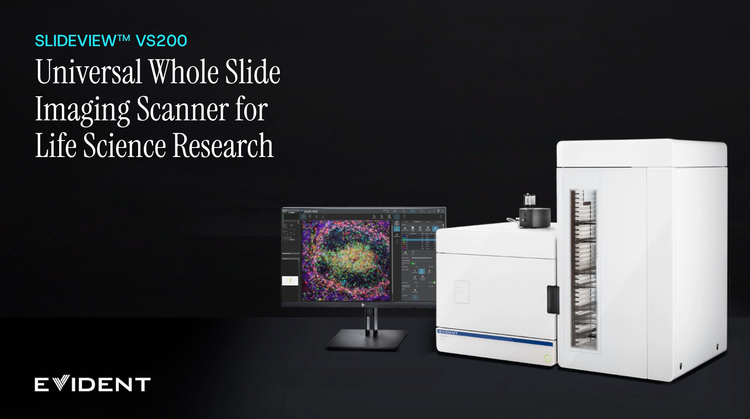
SLIDEVIEW™ VS200 Overview
Compare Images with the OlyVIA™ Webviewer
Create Annotation with the OlyVIA™ Webviewer
VS-SILA Optical Sectioning Device
Export an Image from the Database
Automatic Oil Dispenser for High-Resolution Imaging
Whole Slide Images the Simpler Way: Net Image Server SQL
Generic Sample Detection vs. TruAI Sample Detection